
Oregon VISOR Replaced VINE
Oregon's official custody tool is now VISOR, the Victim Information System in Oregon. The Oregon Department of Corrections presents it as a statewide custody and supervision search. Confidential notifications come with it. Older names like VINE and VINELink still dominate everyday searches. So a "VINELink custody check" in Oregon should point to VISOR. No separate Josephine County VINELink page exists.
The system can draw records from Oregon DOC, the Oregon Youth Authority, county jails, community corrections, and the Board of Parole. That applies when those records feed into it. It checks one person at a time and can send custody-change notices. It is not an arrest ledger, a certified court record, or a photo archive.
The public page carries an "Offline Jails" heading. It does not name Josephine County in a stable list. County participation stays an open question. Search VISOR first. Then fall back to the Josephine Jail Viewer if no local record comes back.
Search One Josephine Custody Record
Gather solid details before searching, since that cuts down false matches. VISOR accepts a full or partial first and last name. It also takes a state SID or county ID. Use one when it is on file. Its instructions allow as little as the first three letters of each name. A captcha may stand between you and the results.
- Open Oregon VISOR and choose the person-search option on the current home screen.
- Enter the first and last name, using a fuller spelling when several people may match.
- Use a state SID or county identifier when it is known and the field is available.
- Complete the captcha and review all plausible matches without assuming the first is correct.
- Open the matching record and read the listed custody or supervision context before registering.
Check identifiers and agency context closely. A shared name proves nothing by itself. A missing result could mean the name was entered differently, the jail feed went offline, intake has not reached the public system yet, or the custody sits with another jurisdiction. The person may simply have been released. The official VISOR screen combines the search with the path to registration.
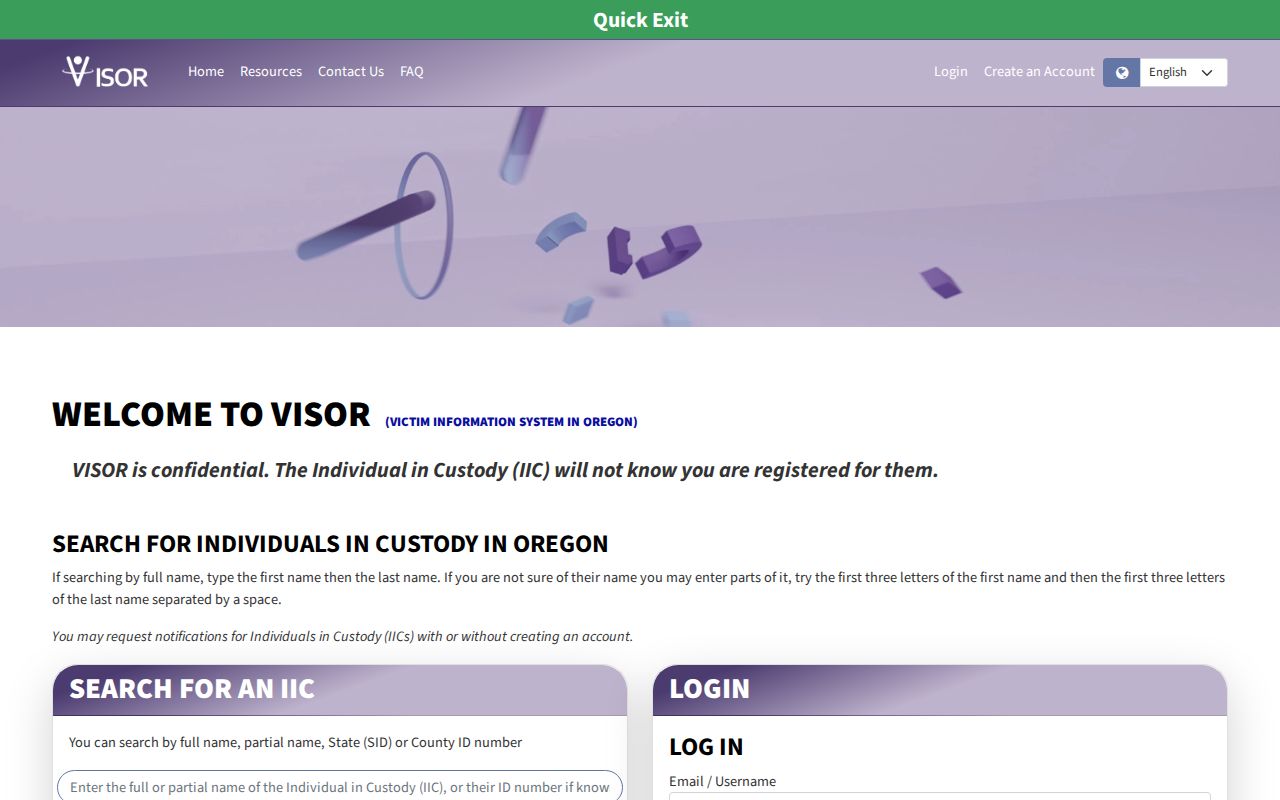
The capture reflects the live statewide interface, whose controls and participating records may change.
Josephine VINELink Result Fields
A VISOR result answers one custody or supervision question using whatever fields that record holds. It should not be stretched into an arrest narrative. The originating jail and the court still own the booking details, the filed charges, and the case outcome.
| Result element | What it means |
|---|---|
| Name | The name attached to the returned custody or supervision record. |
| SID or county ID | An identifier that can help distinguish people with similar names. |
| Custody or supervision status | The state shown by the participating source at its latest update. |
| Agency or facility context | The Oregon system associated with the record, when displayed. |
| Registration option | The path to request notices for the selected record. |
| Notification event | A reported change such as release or transfer, according to the available service. |
| Booking photo | Not a promised VISOR result and not the purpose of the alert service. |
| Court disposition | Not certified by VISOR; verify the final case result with the court. |
Custody means physical detention in the context shown. Supervision points to community corrections or another state-monitored status, not necessarily a jail cell. Transfer means movement between agencies or facilities.
Register for Oregon Custody Alerts
Registration through VISOR is free, confidential, and open around the clock, per Oregon DOC. Phone, text, email, and TTY are all notification options. Attach your registration to the correct person using the on-screen control. VISOR publishes no Josephine-specific PIN rule or stable direct registration URL. Follow the fields VISOR currently presents. Skip any old VINE workflow.
- Confirm the correct person and custody record before selecting registration.
- Choose the notification method offered by the current VISOR form.
- Provide the phone, text, email, or TTY destination requested.
- Complete each confirmation or security prompt shown by the live service.
- Save the registration details and keep the contact destination current.
Treat a notification as a prompt to verify. It is not a guarantee that every operational detail is final. Release processing, transport, court orders, and system updates can each run on their own schedules. If a notice raises an urgent safety concern, follow a personal safety plan. Use the proper emergency or law-enforcement channel right away.
Verify Josephine Arrest Custody Locally
The Josephine County Jail Viewer is the strongest first stop for current county custody and booking history. Search by name, subject number, or booking number. Booking dates help when a new arrest is known. Results can show custody status, facility, and a multiple-bookings marker; detail pages may add booking and release dates, origin, charges, bond, agency, docket, and disposition-related fields.
A very new arrest can lag in public data while intake and data entry finish. Josephine County promises no refresh interval. Check Josephine County arrests last 24 hours next, then call the Sheriff’s Office at (541) 474-5123 if VISOR and the roster both come up empty. One service returning no match does not mean no arrest happened.
The official roster is not a photo gallery. It lists no public booking-photo field. An internal identification image may still exist, and Oregon law separately governs whether an agency can release it. The county recent-arrests hub explains the separate booking-record and photo paths.
Oregon DOC Versus County Custody
Someone sentenced into state custody may show up through Oregon DOC channels rather than as a current Josephine County jail resident. The Oregon Offender Search is the official state-prison lookup. It does not list every Josephine County arrest, and it cannot replace the local booking portal.
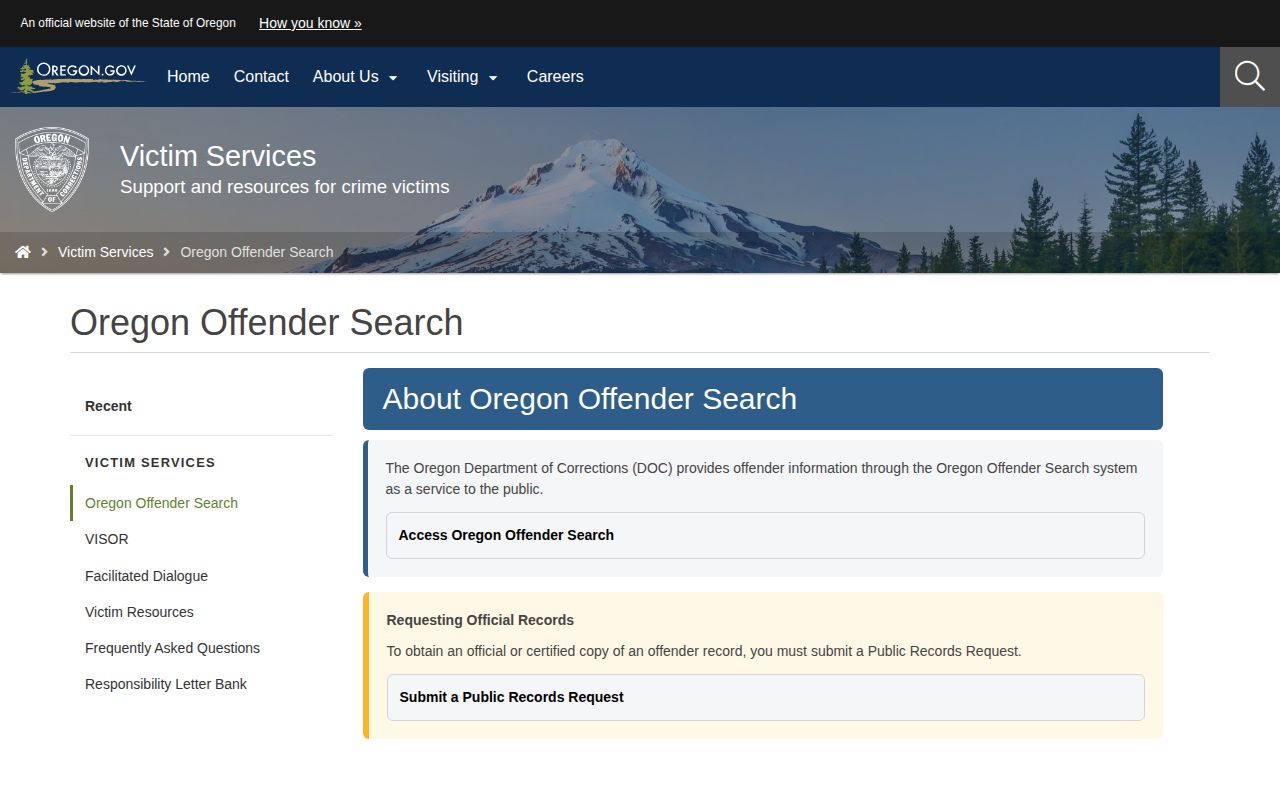
The state search matters after a transfer or a state sentence. The county Viewer stays tied to Josephine jail bookings.
A court case can keep moving after the person leaves jail. VISOR tracks custody or supervision status only, not the full run of arraignment, motions, plea, dismissal, acquittal, conviction, or sentencing. Arraignment is the first court stage where charges are formally addressed. Disposition is the court’s later outcome. Oregon Judicial Department records hold those facts.
VINELink Limits for Josephine County
VISOR stays inside Oregon. A federal case lives in a different world. The Bureau of Prisons runs its own inmate locator. ICE keeps a separate detainee lookup for immigration custody. The U.S. Marshals Service sets its own rules for the records it holds. The DHS VINE site belongs to that federal immigration side too, so it is not the same thing as Oregon VISOR.
A Josephine County arrest that never appears in VISOR might still sit in one of those federal systems. Silence there proves nothing. The reverse holds as well. A local booking does not by itself mean an immigration hold or a transfer to federal hands. Ask the agency that owns the custody record rather than guessing from gaps elsewhere.
- Use the Jail Viewer for a current Josephine County booking.
- Use VISOR for an available Oregon custody or supervision check and alerts.
- Use Oregon Offender Search for state corrections custody.
- Use Oregon court records for the case and final disposition.
- Use the appropriate federal locator only when federal custody is the actual question.
What Josephine Custody Alerts Can Do
Alerts shine when you have a real, ongoing reason to watch a case. A registered notice cuts out repeated manual checks. A participating source pushes out word of a release or transfer. It also pins the search to one person. You are not scrolling through broad Josephine County custody lists hoping for a match.
The system needs accurate contact details, though. A changed phone number or an email that lands in spam can break delivery. Coverage varies by agency too. Keep the sheriff's number and the VISOR line handy as well. Both work as backups on their own.
Treat any notice as a signal, not a stopwatch. The message may fire after staff finish only part of a release or transfer. If a status looks off, write things down first. Note the agency, the record number, and the time before you call. Those details help sort out the cause. It might be a data delay, a wrong-person match, or an outside custody system. In a genuine emergency, skip VISOR entirely and reach the local agency that can act. It is an information and notice tool, not a dispatch service.
Note: Save the searched identifier and registration confirmation without sharing private notification details on a public page.
Public Record Search
Sponsored Results